 1999 - 2026
☰
1999 - 2026
☰
SportScouting is an elite professional video scouting and analysis platform. It empowers coaches to conduct deep-dive performance analysis and gain actionable tactical insights by rapidly tagging game events and player behaviors across multiple matches, with specialized support for Basketball, Soccer, Water Polo, Handball, and more.

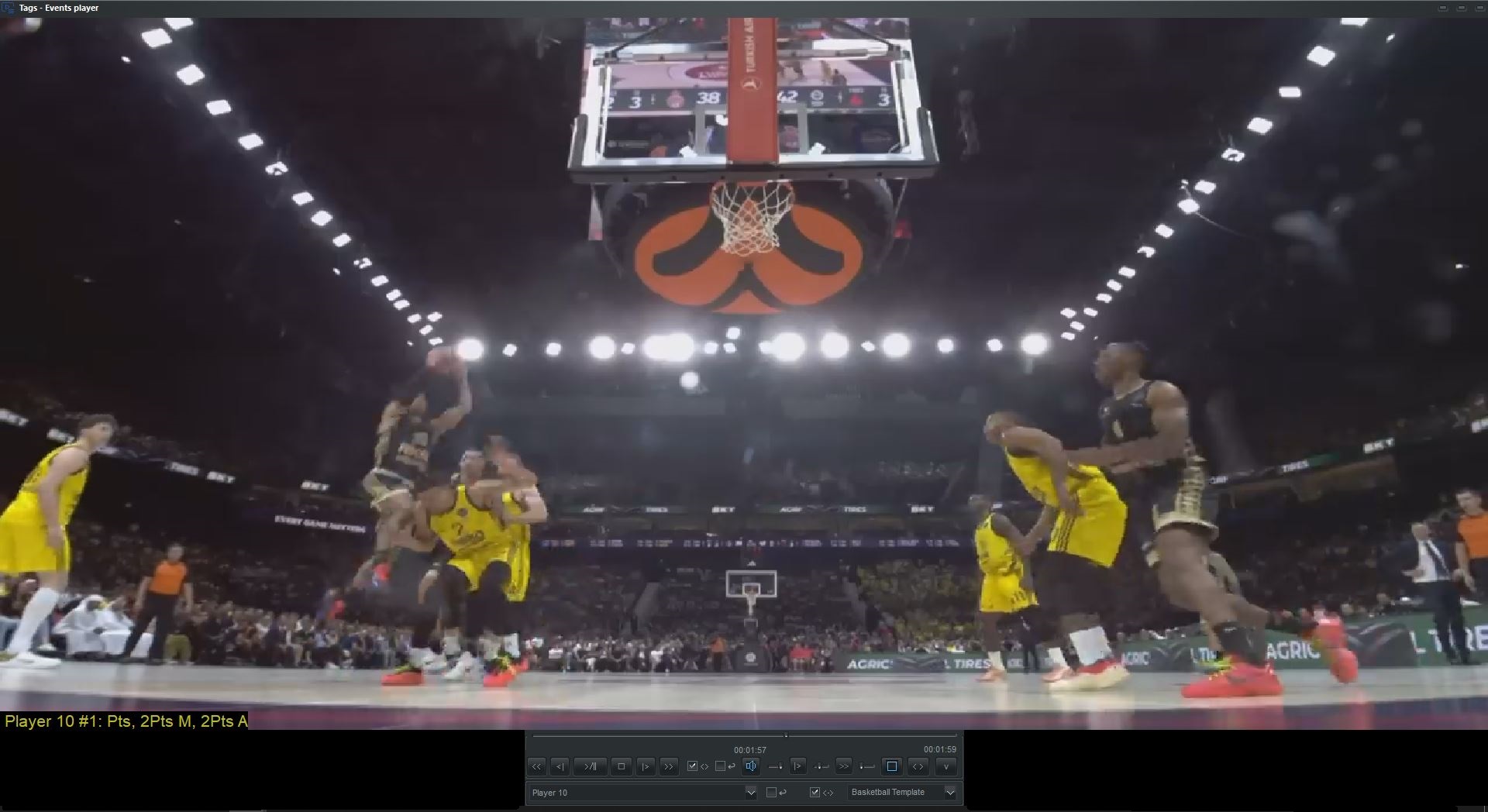
Import play-by-play data lists and corresponding game video to get all scouting events automatically synced. Later, quickly trim event videos within the **Tags - Events Player** interface.
Conduct scouting of game events from multiple matches in real-time or offline.
Use customizable tag buttons from one or more screens to capture video clips of scouting events with timestamps. Three types of buttons allow for rapid, two-click or one-click logging to ensure high-speed, accurate data capture.
Easily add, delete, or edit tag buttons, images, text, and shapes for scouting events. Saved in sorted categories for instant reuse across all sports.
Use goal or playfield images and tag buttons to generate Heat Maps, frequency counts, and identify crucial behavior patterns during gameplay.
Export a scouting project with all videos to a single folder for seamless sharing via cloud services (Google Drive, etc.).
Free Events Player included in the export, allowing coaches with limited budgets to view and analyze tagged events instantly.
Evaluate player efficiency with objective data. Track shooting percentages, defensive rotations, and decision-making habits. Use integrated video clips to provide visual feedback that helps players instantly correct mistakes and improve on-court execution.
Identify which offensive sets generate the highest points-per-possession. Analyze how opponents react to specific 'out-of-bounds' plays. Reveals tactical patterns for data-driven decision making.
Monitor team-wide trends like turnover ratios, rebounding efficiency, and defensive stops. Aggregating data from multiple games generates a 'big picture' view of strengths and weaknesses, ensuring professional game preparation.
Analyze behaviors across multiple games in scouting meetings or via Cloud sharing. Stop wasting time rendering movies. Use the Events Player to watch tagged video events instantly—perfect for intense game schedules.
Create and share MP4, MPEG, or AVI highlight videos from multi-match events with few clicks.
Save time, use the Events Player for instant review!
Generate interactive web pages with scouting report spreadsheets and optional video clips. Exportable to PDF or uploaded to a website for easy sharing.
Create, edit, and print professional scouting reports using modern templates. Customize each report with your team's logos, colors, and headlines.
Use built-in or custom Scouting Tags Screens optimized for **Basketball, Handball, Water polo, Tennis, Soccer, Football, Futsal**, and any other sport.
Standard video editing requires manual cutting, renaming, and re-sorting of every clip—a process that takes hours. SportScouting automates this. Tag events live or offline and watch them instantly in the Events Player. Job Done.
Efficiency is critical in modern coaching. In an intense season, video clips must be delivered to staff by the evening of the match.
Tag screen has your tags. Database driven, organized in category to reuse same tag screen. Use one or more Tag screen with tag buttons. Button can hold image and has hotkey. Three types of buttons to cover any game situation. Easy to Add/Del/Edit Tag buttons, images, text, frames, shapes which are used for scouting events.
Use goal or playfield image and tag buttons for Heat map, frequency counting and most relevant behavior patterns.

Watch all events with your team during a scouting meeting. Draw shapes, text and action lines on video. Analyze game events and behaviors of players.
The same Free Tags-Events Player is included in the Export folder, for free viewing and analysis of events that allows for easy cloud sharing.

Presentation mode is used to view all events in full screen. Draw shapes, text and action lines on video. Analyze game events and behaviors of players.
The same Free Tags-Events Player is included in the Export folder, for free viewing and analysis of events that allows for easy cloud sharing.
Get standalone MP4, mpeg or avi video from events.

Professional opponent scouting report web template and PDF for Basketball, Soccer, Water Polo, Handball, and more. You can fully customize your opponent scouting reports with your team's logo and brand colors.

SportScouting is built for speed. Follow these steps to transform raw game footage into actionable tactical insights.
No. SportScouting features the unique Events Player, which allows for instant review of tagged clips across multiple matches without any rendering time. This is ideal for half-time analysis or immediate post-game meetings.
Yes. The platform is designed for deep-dive analysis. You can filter and aggregate specific player actions (like shooting under pressure or defensive habits) from several different matches into one comprehensive report.
Yes. Every exported scouting project includes a Free Tags-Events Player. This allows players and other staff to view and analyze your tagged events without needing a full software license.
Absolutely. SportScouting includes pre-made, professional tag screens for Basketball, Water Polo, Soccer, and Handball, all designed to meet official league standards (FINA, NCAA, FIFA, etc.).