 1999 - 2026
☰
1999 - 2026
☰
SportVideo is an elite sports video production suite featuring three integrated modules: Video Cut for rapid automated clip splitting, Video Edit for precision highlight creation, and Video Markup for professional tactical telestration and visual annotations.
Master your game film with high-speed tools designed for the intense schedule of modern coaching.
Rapidly decompose full game film into searchable event clips with our automated "Splitter" module.
Create impactful coaching presentations using a intuitive, non-linear filmstrip timeline.
Transform game film into a teaching tool with advanced visual annotations and telestration.
SportVideo's screenshots provide an engaging visual overview of the high-speed editing and professional telestration features.
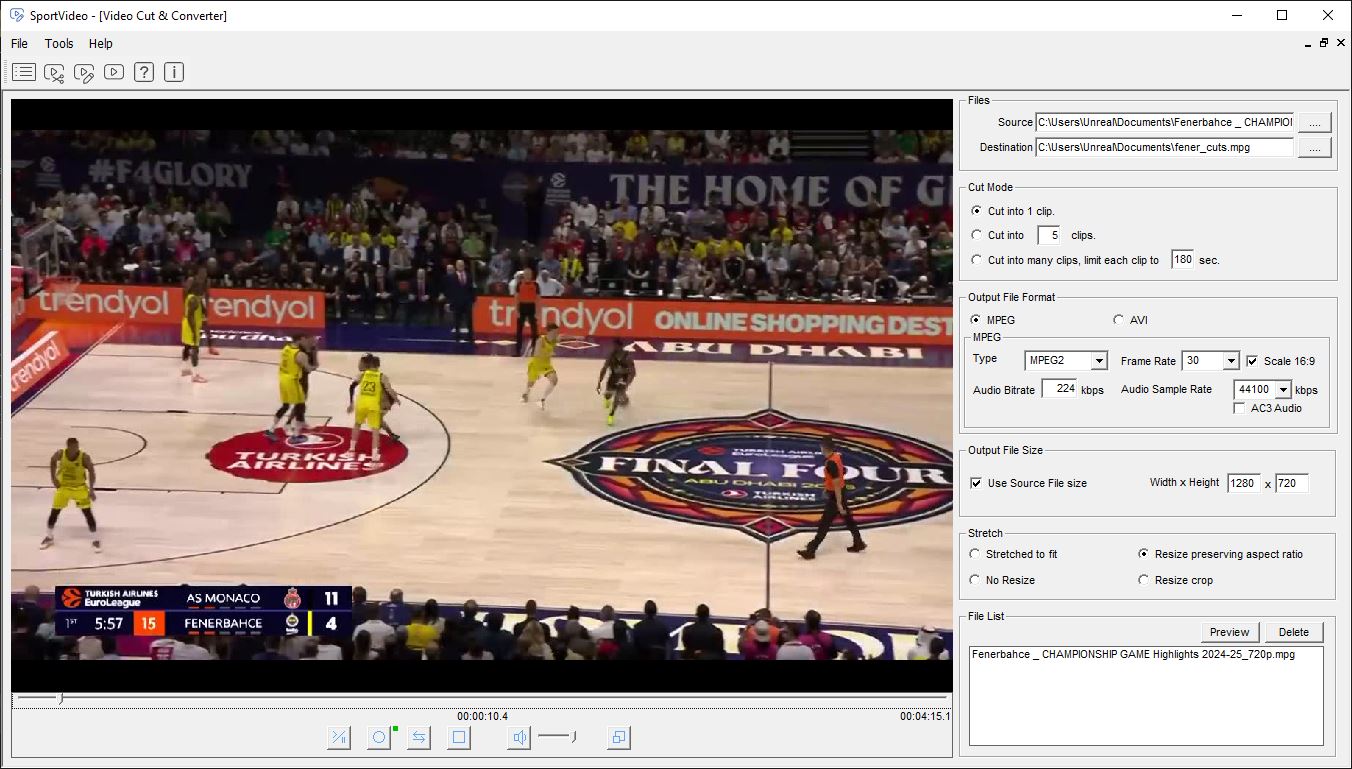

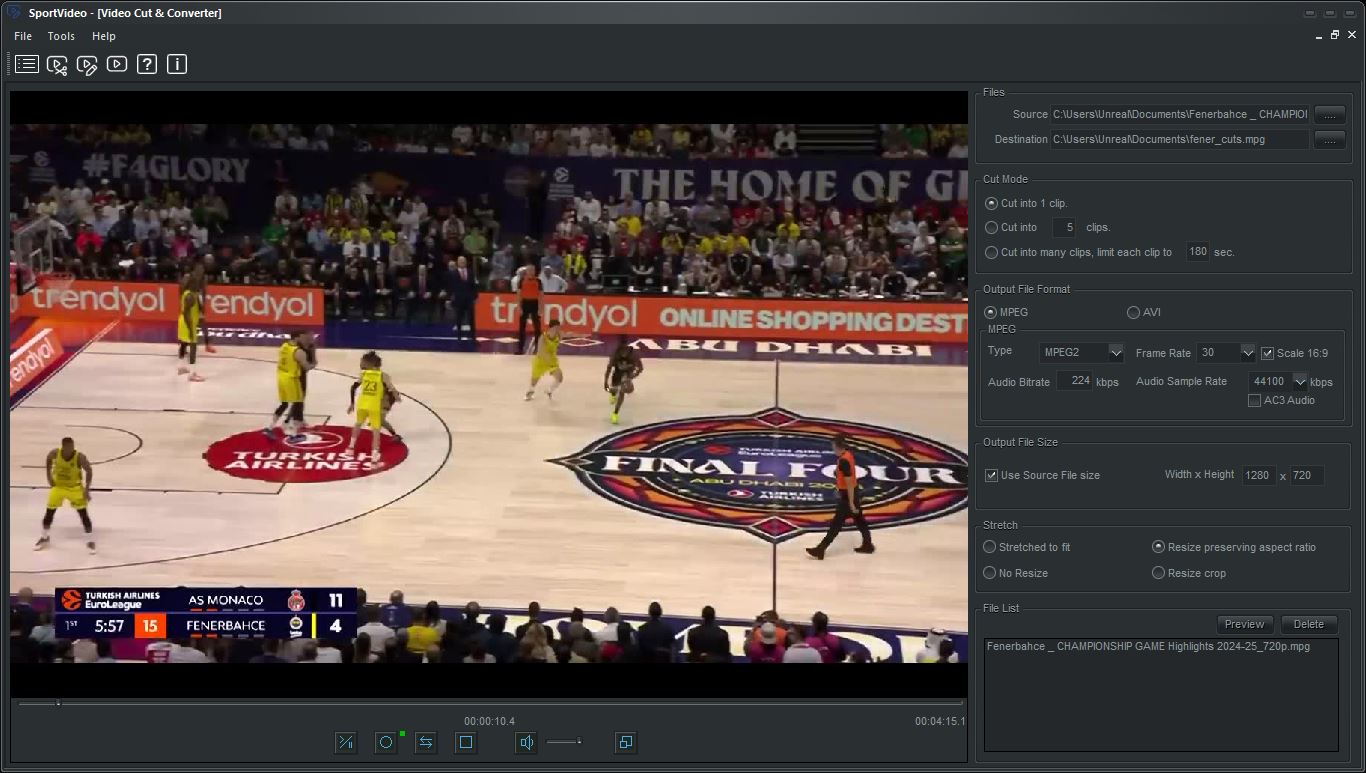
Video Cut is used to efficiently split an input (source) game match video into one or multiple output video clips of in-game events. It provides precise control over tcutting, allowing users to quickly cut parts and create video clips of in-game events. Publish mpeg or avi video.
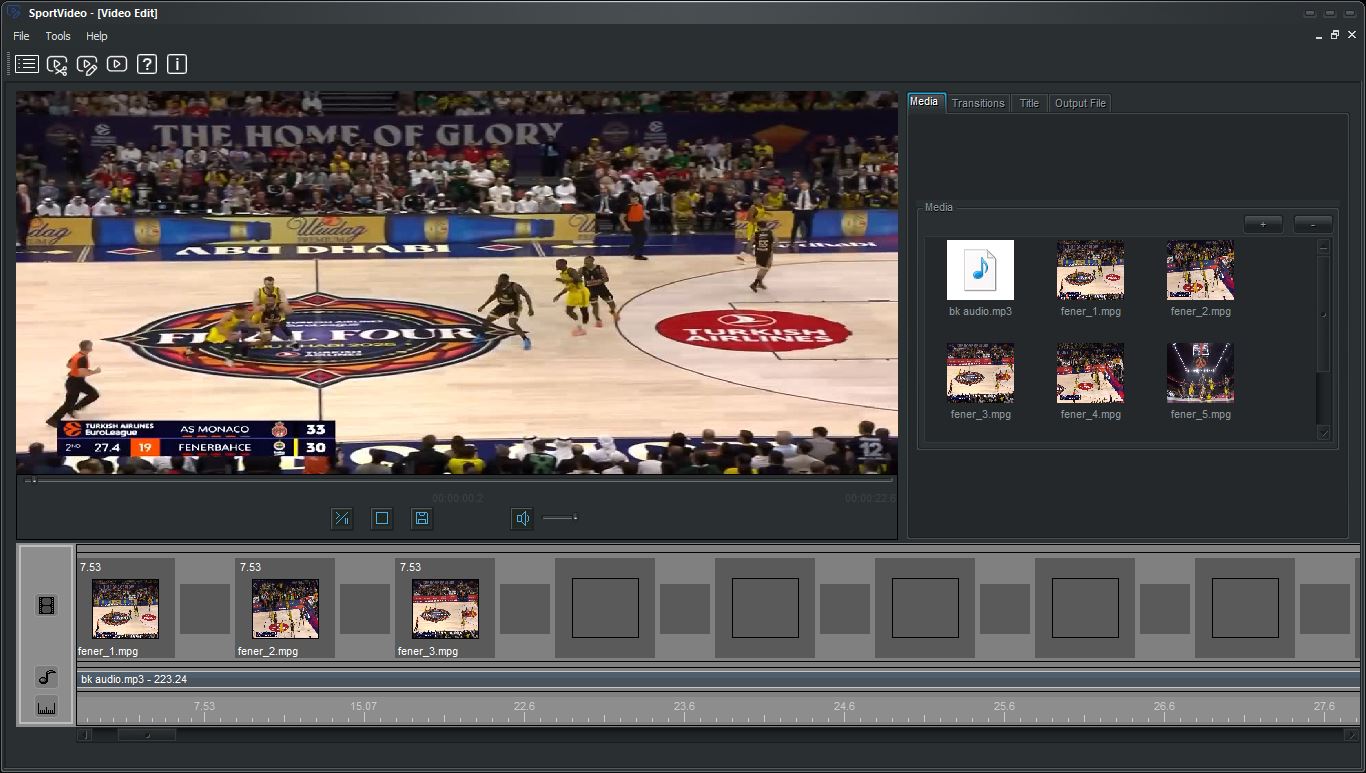
Video editing is used to create a video from one or more video clips or images that are placed on the filmstrip timeline. Create an image with text to insert or insert images into existing video clips to highlight key moments or provide additional context. Publish mpeg or avi video.
Video editing features a user-friendly interface with a filmstrip - storyboard view, allowing users to assemble videos and images seamlessly. You can create a complete video by dropping multiple video clips or images onto a timeline. Additionally, there is a dedicated filmstrip for background audio, enabling users to incorporate music or sound effects to enrich their videos.
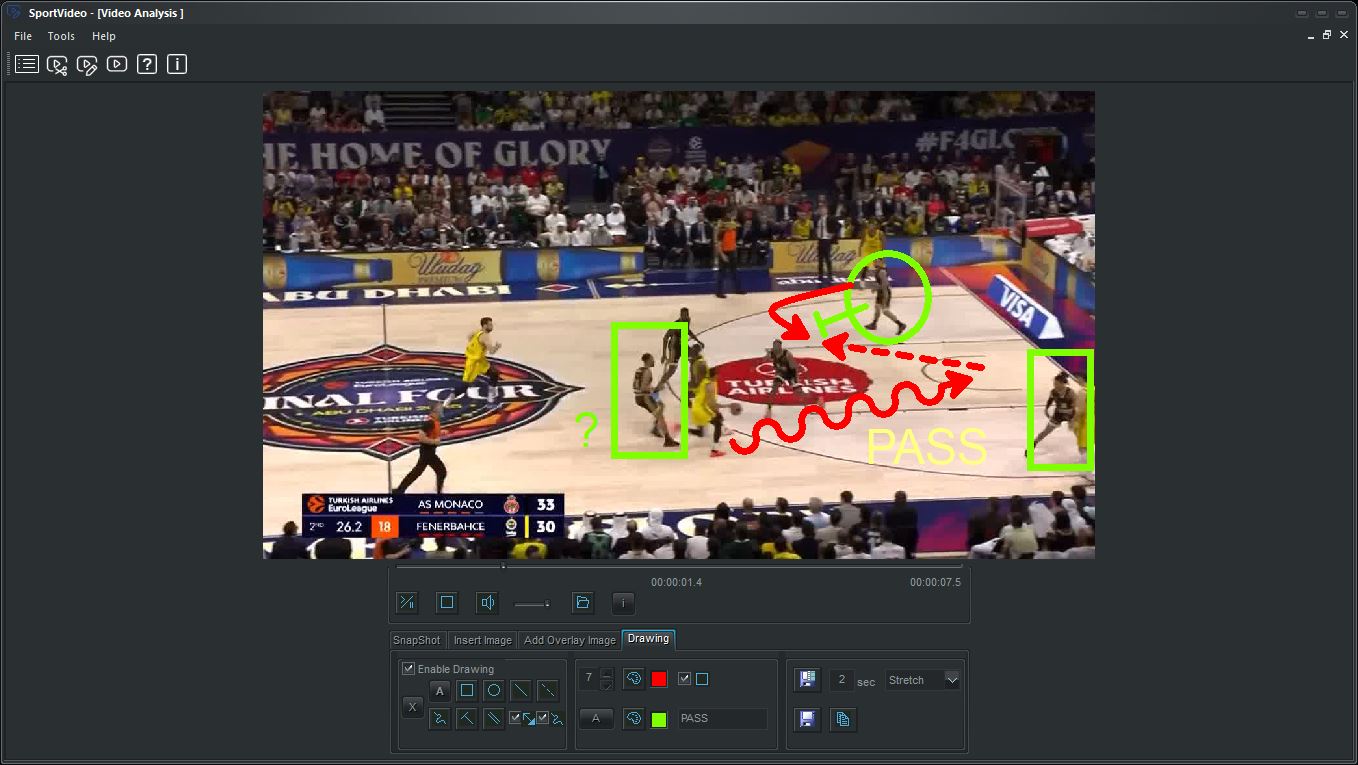
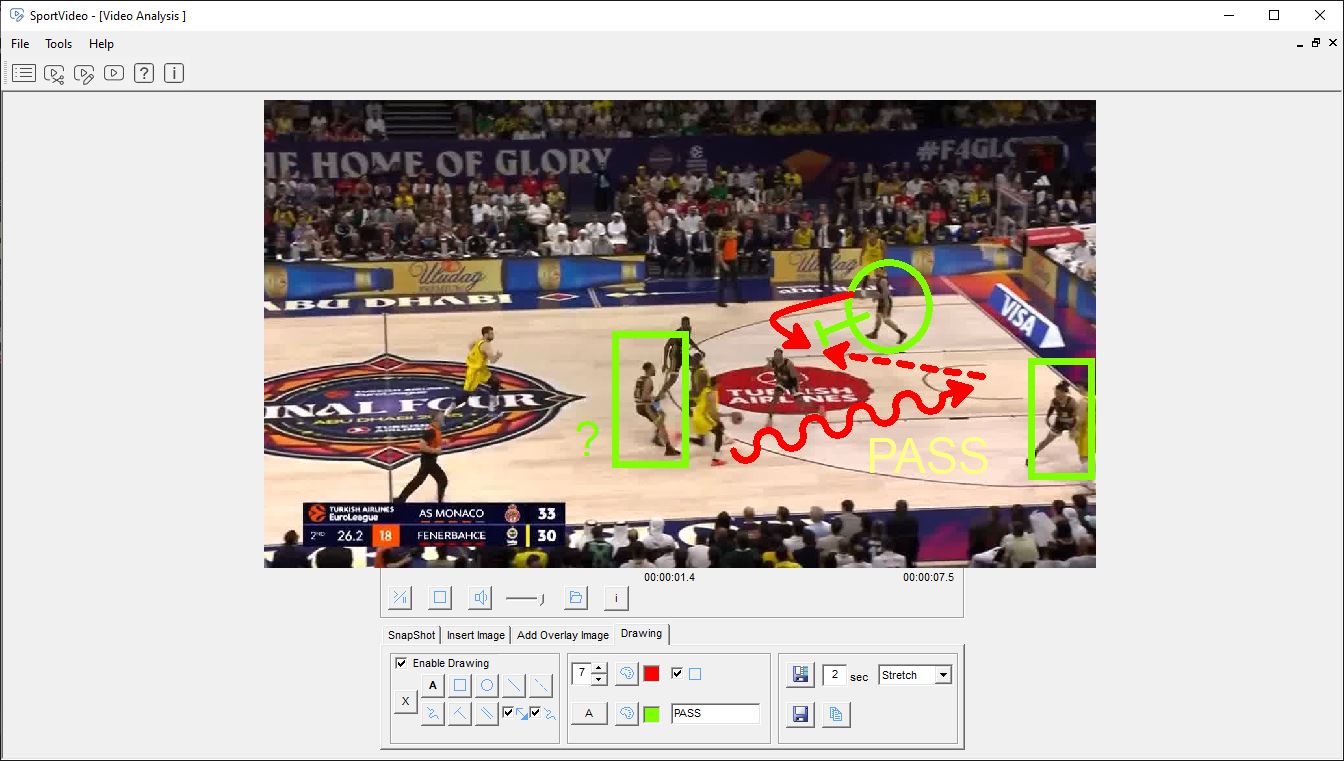
Video Markup enables detailed review and analysis of game footage. You can draw shapes, add text annotations, and overlay action lines directly onto the video. These markings can be saved as standalone images or incorporated into the video itself. Additionally, you can insert images into existing videos to highlight key moments or provide additional context, making your analysis more comprehensive and visually engaging. Publish mpeg or avi video.
SportVideo v9 is engineered for offline reliability. Create professional highlights that play perfectly in the locker room, on the bus, or in the meeting room.
In the intense 2026 coaching environment, reliability is paramount. MPEG and AVI formats are utilized because they offer the best balance of high-definition visual quality and universal offline compatibility. This ensures your game film plays instantly on any screen without the lag or buffering issues often found with cloud-only formats.
Absolutely. By publishing in standard MPEG/AVI containers, your videos are ready for crystal-clear presentation on large meeting room projectors or portable Windows tablets. These files are perfect for sharing via USB or local network drives for immediate team review.
Yes. Any telestration, action lines, or text annotations you add in the Video Markup module are "burned" into the final video during the export process, ensuring your tactical feedback is preserved for your players to study.